
Substack Made Simple: Even More Small Tweaks To Increase Your Visibility Now
The patterns I’ve noticed that affect visibility, ranking, and growth (no hacks, just real use)

I didn’t change my content. I didn’t suddenly post more. I didn’t “crack the algorithm.”
But after tweaking a few small things in Substack settings, I started showing up more consistently on the Rising in Education leaderboard (which lists the top 100). Same posts, same voice, different results.
That’s when it clicked.

Part I

Part II

Part III

You are reading Part IV.
A lot of what affects visibility on Substack isn’t obvious, and it’s definitely not the stuff people love to talk about. It’s the behind-the-scenes signals, like how our posts are categorized, the keywords and phrases we use consistently, and what happens when we update older content or import subscribers.
None of this is flashy, but it does matter. Nothing sexy today. No easy button. But here’s what I’ve been noticing...*
*I’m discussing and working on the Substack.com website, not a mobile app. Many of these options simply don’t exist on mobile. Also, I’ve learned more about leaderboards (they require a paid tier). Keep reading.
💥 Gratitude to my exclusive advertising sponsor, the always-free Booklinker, and the paid tool, GeniusLink. I love both💥 (affiliate link).
Please note: these are my experiences working on about 10 Substack author accounts, including my own. Nothing is proven, written in stone, or required. Your mileage may vary.
1. Matching Your Post Tags to Your Publication Categories Is a Crucial Must
I went back into older posts and cleaned this up, making sure my tags match my categories. So if the main category was Education, the tags supported that. Education, writing, marketing, or Literature (my second category). Not random, not scattered.
Here’s how to set up your publication categories.
And suddenly, I started showing up more consistently on the Rising in Education leaderboard (maybe a dozen times now). Is that the algorithm? Maybe. Or maybe Substack finally understands where I belong (at least someone does). Either way, it worked, and that’s enough for me to pay attention.
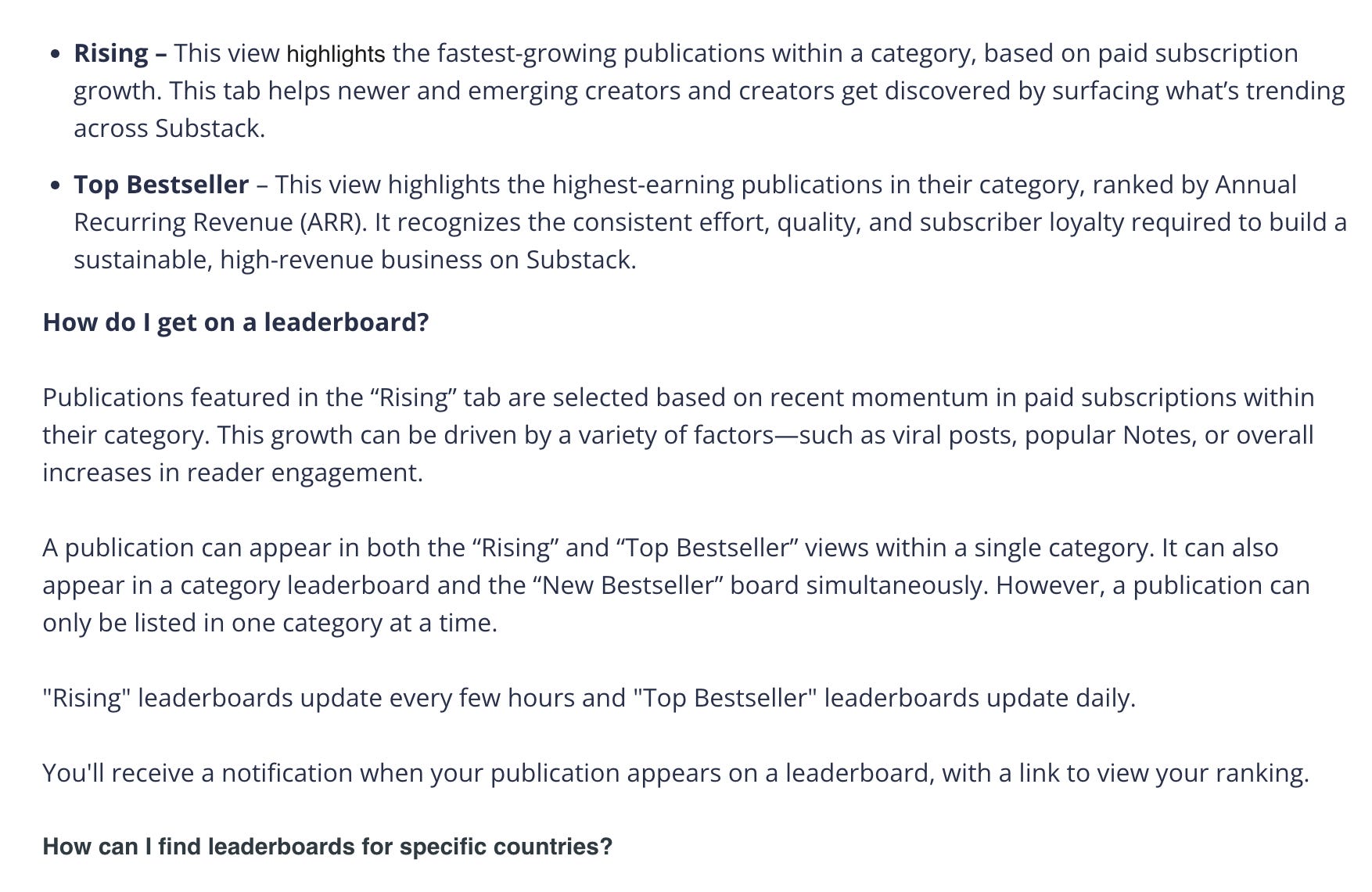
Just learned this! Leaderboards are based on various factors, but do include paid subscriptions. If you don’t have paid options turned on, will you be able to place on a leaderboard? Doesn’t look like it? More here from Substack.
“Tags allow you to organize your posts and make it easier for readers to navigate through your publication for topics that interest them.”
~ Substack
2. Editing and Updating Old Posts Does…Something
This one surprised me. When I update older posts, whether it’s tags, formatting, or links, they don’t just sit there unchanged. They get reprocessed in some way.
I’m not saying the posts blow up or suddenly take off, but they don’t stay buried either. It’s more like fixing the label on a file so it can be found. Same content, just easier to understand and place.
You can edit any post, new or old, archived or published. Not sure what to add or change? Easy: Add 2-3 links to older posts in new posts, and go into older posts, add 2-3 links to newer posts. Takes a few minutes, max.
3. Consistency in Category is Key
We can select two categories for our Substack publication (in publication settings). When our posts consistently point to a main lane, we’re easier to place, recommend, and rank. When we’re all over the place, we’re harder to categorize, which makes us harder to surface.
💥 One huge yet tiny setting I just learned, so pay attention: the first category matters more than the second. That first one reads like your primary signal, the one Substack uses to place you and where you’re more likely to rank. The second category helps, but it doesn’t carry the same weight. I still add it as a keyword/tag to every post. Can’t hurt, right? 🤷🏻♀️
So if we care about showing up in, say, Education, we put it first and make sure our content actually supports it. If you want to rank in Fiction, put that in the first category position. For my pub, I chose Education first, Literature second (these are editable).
4. Internal Links Matter More Than We Think
When we link our own posts to each other or to other Stackers we enjoy, we’re not just helping readers; we’re also helping Substack understand how our content fits together. A post on book marketing that links to an SEO guide, which in turn links to a Substack setup post, starts to build a connected structure rather than a bunch of standalone pieces.
It’s not exciting, but it works. Over time, it adds depth to our publication in a way one-off posts don’t.
❓What is Substack Grow? Free course, y’all - helpful, and sort of stumbled upon it. Substack Grow is a series of six FREE workshops for writers who want to grow. It covers the essential knowledge writers need to grow their readership and paid subscriptions on Substack. All sessions are free, and participating writers can choose to attend all sessions or only the most relevant ones.
5. Notes Are Discovery. Posts Are Authority.
We mix this up all the time. Notes (aka, social media here on Substack - think internal feed only) is where we get engagement, reach, and conversation, whereas posts/articles/newsletters are where we build depth and something that lasts (think indexed internally, externally, and goes out to subscribers).
If we only do Notes, we can get attention, but nothing to anchor it (and no external visibility). If we only do posts, we grow more slowly. While Notes are designed for internal discovery within Substack, they are treated as social media updates rather than public, search-engine-optimized content.
We need both, and they serve different purposes. Once we see that, it’s easier to use each one for what it’s actually good at. Officially, Notes are not indexed, but I’ve seen several pop up on Google searches, so honestly, who knows?
For what it’s worth, 90% of the traffic to my publication comes from Facebook, where I share and boost my weekly posts ($1/day for a week, y’all).
6. The Platform Responds to Patterns, Not Effort
We can post constantly, comment everywhere, like everything, and still feel invisible. That’s because Substack isn’t tracking effort. If it were, the reply guys would be trending (some do, still, but not for long).
I’m not an algorithm expert, but it’s clear Substack and other platforms look at patterns. What we consistently write about, who engages with us, and whether people come back. That’s my theory, anyway. Once those patterns line up, things start to move.
Before that, it can feel like we’re doing everything right and getting nowhere.
7. This Isn’t a Hack
If you’re looking for a trick, none of this guarantees anything. But taken together, these signals can help the Substack Gods better understand our content, place us in the right category, and show us to the right readers.
And that’s where growth actually starts.
8. Import Subscribers Regularly
If importing subscribers alone boosted rankings, people would game the system nonstop by flooding it with fake subs (is that a thing?), making Substack unusable. Substack didn’t build it that way. That said, be consistent with your growth. How?
I’ve written quite a bit about how easy it is for authors to grow their Substack subscribers by participating in paid subscriber surge giveaways. I import anywhere from 500 to 1200 new opt-in subscribers every month (though I update the list of new subs here weekly).
Cost: $35 to $100.
All my suggestions here ⬇️ (free)

TL;DR
Match your tags to your categories.
Update older posts.
Put your main category first if you want to rank there.
Stay consistent in your lane.
Link your content together.
Use Notes for reach and posts for depth.
Focus on patterns, not volume.
Grow and import subscribers regularly.
Your Turn
I want you to do one simple thing today. Go back to your last 2 posts (aka articles, aka newsletters - NOT Notes) and check:
Do your tags include both of your categories?
Did you add your main category as a tag/keyword?
Are you being consistent about what you’re actually writing about?
Have you linked to previous posts?
Fix those. Simply click the ‘edit’ option and save (it won’t go back out to subscribers unless you click that option). That’s it. Small changes. Real impact.
Nifty tip: If you’re sharing a link to any post on Substack, yours or others, when you enter the link, a box pops up, asking if you want to ‘embed’ the link (sometimes it just pops up with the embed). Click enter and done.
That looks like this below (all I did was paste the link). Like magic. Also works for podcasts, music, and YouTube videos.
Embeds can make your newsletter too heavy for email, so use only a few. If you’re getting a message at the top, ‘near email length’ or ‘exceeds email length,’ that means your newsletter will still go out, but will be cut off, and that’s when most readers bail.
More on this in an upcoming newsletter! Be sure to subscribe so you don’t miss it.
If you’ve noticed weird little Substack things like this too, let's compare notes. That’s how we figure out this platform. If you’ve figured out any handy tips, please drop them in the comments. I’m glad you’re here. 🙏
Want More Substack Tips?
If you’re figuring out Substack as you go (aren’t we all), you might like my free section, Substack Tips. I share what’s working, what’s not, and little tips I wish someone had told me sooner.
If these posts save you even one frustrating afternoon, please toss a coin in the BadRedhead Media tip jar. Completely optional, any amount welcome and appreciated. Genuinely appreciated. 🙏

Thanks for reading and being part of this little corner of the writing world. I’m really glad you’re here.
📕📘📗 I’ve also written three books just for writers if you want to go deeper:
https://badredheadmediallc.substack.com/about 🌻
What if you're writings are eclectic. I'm not really philosophy, nor am I home and garden, nor am I really art, although I am creative...
When you say match your categories, do you mean that you tag your posts with #education #literature?